The trend is one arm’s-length selfie that hands the lens around the group. The gangnam style AI video template keeps that order, shot for shot, in 15 seconds of a lantern-lit elven treehouse village, and puts every cut on a beat.
0.0s – 4.5s
Center
Center takes the lens
A slow push-in on the lead, bouncing on every beat; both index fingers snap at the lens on a downbeat.
4.5s – 8.1s
Left
Cut to the left
A hard cut on the beat: hand on chest, then crossed wrists and the horse-riding bounce.
8.1s – 12.2s
Right
Whip-pan right
The whip-pan lands on a beat; one hand circles overhead like a lasso, then a head tilt.
12.2s – 15.0s
Center
Back in your face
A rush back to the lead, who points at the lens and laughs as the beat stops.
Trio, duo or solo gangnam style AI video
Pick by how many photos you have: each gangnam style AI video version loads its own script and the right number of photo slots. Image 1 is always the lead, the one who opens and closes the clip.
Gangnam style AI video takes JPEG or PNG, up to 4 MB each: one person per photo, face clear and facing the camera. Only adults who agreed to be in the video, no public figures. Uploads are screened before they reach the model.
Meet the gangnam style AI video cast
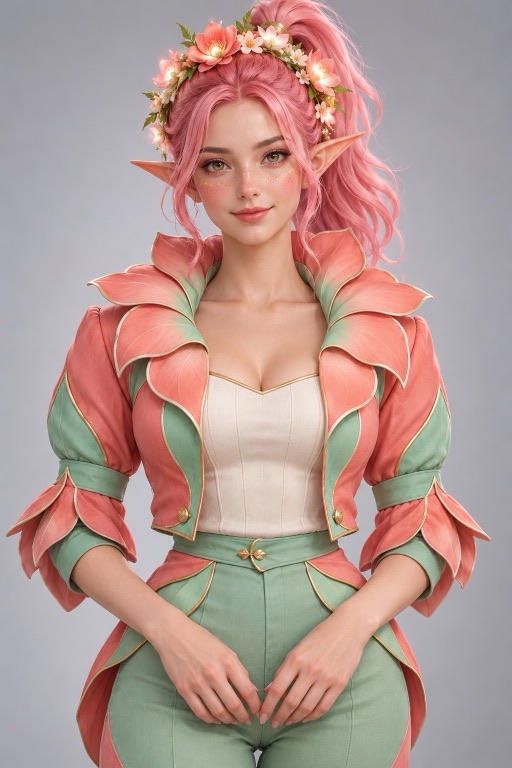
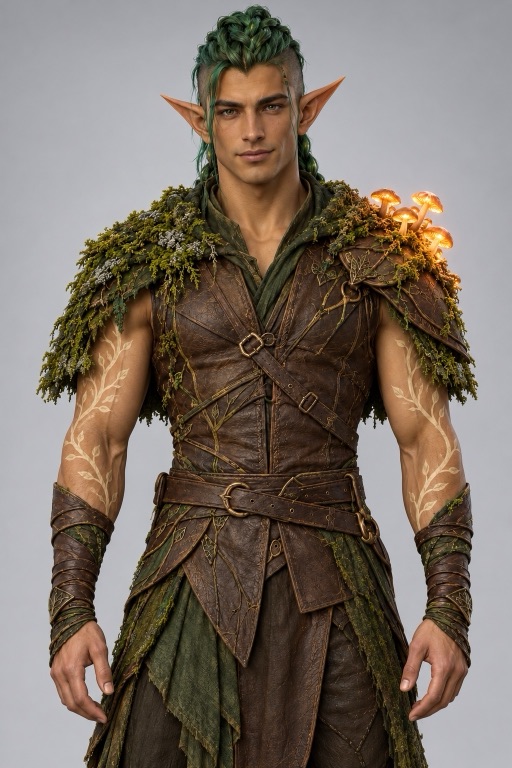
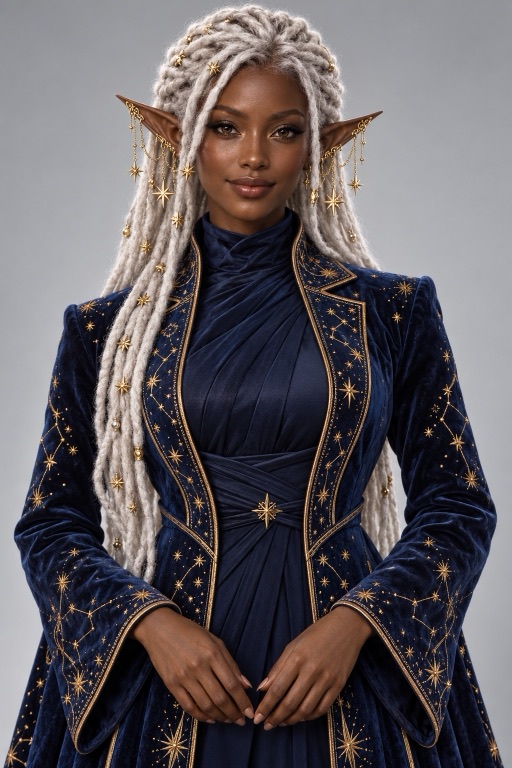
For our gangnam style AI video sample we skipped real faces and cast three original elves. Each has one thing you remember: a flower crown in bloom, glowing mushrooms on a shoulder, star chains on the ears. Your own photos keep your face, hair and outfit in the same way.
Center
Left
Right
Add the trend sound to your gangnam style AI video
We measured the beat of the trend clip: 132.5 BPM, first beat at 0.43 seconds. The gangnam style AI video script puts every cut and every big move on that grid, so the trend sound lines up when you add it.
4.5s8.1s12.2s
1
Download the clipSave the finished gangnam style AI video from the stage or your History.
2
Add the trend soundIn TikTok or Reels, pick the trend's sound from the app's licensed library, starting at its beginning.
3
Mute the originalTurn the clip's own audio to zero. If the cuts feel early, start the sound about 0.2 seconds later.
Measured on our gangnam style AI video sample: the cuts landed 0.2 to 0.8 seconds later than the script asks, and with the sound started 0.2 seconds late each cut sat within about a tenth of a second of a beat. Your clip will drift differently. We never add the song for you: it plays from the platform’s library, under its license.
How we built the gangnam style AI video script
For the gangnam style AI video template we ran a popular clip of the trend through video to prompt and kept what it read back: the four shots, the cut times and the camera moves. Then we took out everything that belongs to someone else.
KeptShot order, the push-ins and the whip-pan, with cuts at 4.5, 8.1 and 12.2 seconds: the beats they fall on in the trend sound.
ReplacedThe song became an original instrumental at a similar tempo, with no singing. Film characters became whoever is in your photos.
EditableLoad the gangnam style AI video script and change the setting, the moves or the outfits in plain text; keep the times to stay on the beat.
Gangnam style AI video sound: an original beat
The model writes its own instrumental dance track with the picture (asked for 132.5 BPM; our sample came out near 126), so the gangnam style AI video plays with sound and nothing you need rights for. Nobody sings or talks, which is what lets you replace that track with the trend sound later without a single mouth out of sync.
What a gangnam style AI video costs
A 15-second gangnam style AI video reserves 3,000 credits at 768P or 4,500 at 2K; the 10-second solo version reserves 2,000. The number is on the Generate button before you submit, and failed runs refund. Add your photos first and sign in when you press Generate; finished clips stay in your History. Credit packs are on the pricing page.
Before you make a gangnam style AI video
The trio clip at the top is the only gangnam style AI video we have rendered so far, from three generated characters; the duo and solo versions have not been run yet, and your own photos will differ. For a two-person story instead of a dance, try zombie love story AI. To write a scene from scratch, open the AI video maker, or browse every template under AI video tools.
Gangnam style AI video FAQ
The gangnam style AI video trend is a selfie-style clip where a group crowds one arm's-length camera in front of a snowy castle and takes turns performing to the beat: the person in the center first, then the left, then the right, and the center again for a lean-in finish. A gangnam style AI video recreates that format from photos instead of filming it.
Three for the trio version, two for the duo and one for the solo; the version links at the top load the right number of slots. Image 1 is always the lead. JPEG or PNG, up to 4 MB each, one person per photo.
No. The model generates an original instrumental at a similar tempo, with no lyrics or melody from the song, and nobody sings or talks. The script times cuts and big moves to the beats of the trend sound, so you can add that sound from your platform's licensed library when you post and mute the clip's own audio. Expect a little drift; starting the sound slightly later can help.
MiniMax H3. The template needs reference photos to keep each person's face, and on this site only MiniMax H3 takes reference images (up to 5), so the model is fixed on this page.
The 15-second trio or duo reserves 3,000 credits at 768P; the 10-second solo reserves 2,000. The exact amount is on the Generate button before you submit, and a failed run returns its credits.
No public figures, and only adults who have agreed to appear. Uploads are screened before they reach the model. Our sample uses three original characters we generated, not existing ones.
Yes. Load the gangnam style AI video script and it appears as plain text: swap the treehouse village for a rooftop or a beach, change a gesture, or describe new outfits. Keep the timestamps as they are if you want the cuts to stay on the beat of the trend sound.